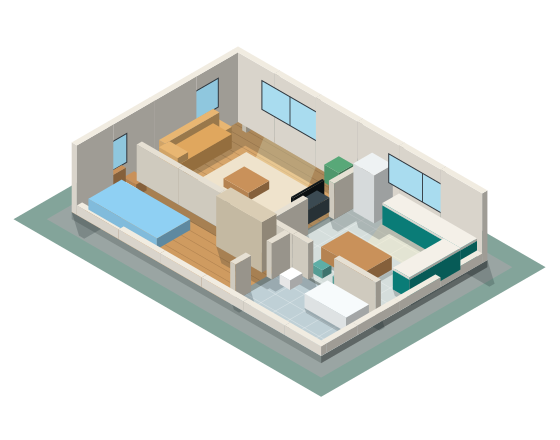
2D plan
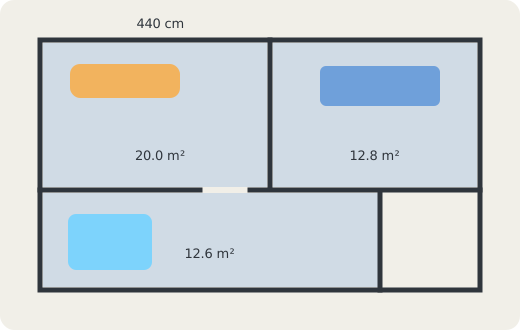
Snap to a grid, type an exact wall length, and see every length and area.
Floor plan and 3D home design
Enter room sizes, place your furniture, and plan the space in 2D or 3D.
2D and 3D
Draw rooms and walls in centimeters, then switch to 3D to see the same plan with daylight, shadows, and real furniture.
Snap to a grid, type an exact wall length, and see every length and area.
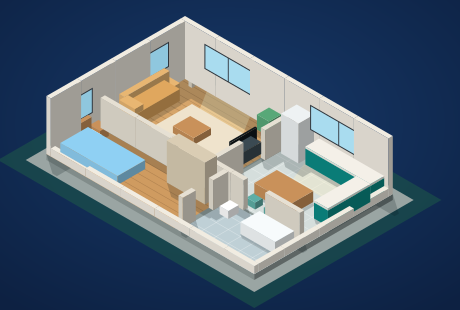
Walk through the rooms at eye height and see how the light falls.
Enter width and depth, or drag a rectangle. Kitchen and bathroom use the same step.
Furniture and white goods drop onto the plan. Hover a piece to choose its color.
Turn the 3D view with the mouse. Hold Space and drag to move the view.
Draw rooms and walls in centimeters, snap them to a grid, type an exact wall length, and see every wall length and room area on the plan.
See the same plan in 3D with real furniture models, daylight, and shadows, and walk through the rooms at eye height.
Lay out base and wall cabinets, an island, a sink, a bathtub, and a shower, and watch the counter and tiles take shape.
Place sofas, beds, wardrobes, rugs, and outdoor furniture from a catalog of about 100 pieces, or let auto-furnish suggest a starter layout.
Get floor area, tile count with waste, wall paint area, and baseboard length for every room, and export the list as CSV.
Print a scaled A4 or A3 plan at 1:50 or 1:100, save it as PDF, or export a PNG, a 360° panorama, or a house tour video.
Open a typical Turkish apartment layout and change it any way you like. In 2+1 notation the first number is the bedrooms and the second is the living rooms.
HomePlanGo warns you about tight spots while you draw, so the plan works in real life.
HomePlanGo is a floor plan and 3D home design tool that runs in your browser. You draw rooms and walls in centimeters, add doors, windows, and furniture, and see the same plan in 2D and 3D.
No. HomePlanGo opens in the browser without sign-up. Your projects are saved in your browser on your device and can be exported as JSON.
Yes. Sample 1+1, 2+1, and 3+1 apartments with a kitchen, bathrooms, and a balcony open with one click, and you can edit them or draw your own plan from scratch.
A scaled A4 or A3 plan at 1:50 or 1:100 that you can print or save as PDF, a PNG image, a high-resolution render, a 360° panorama, a house tour video, a room-by-room quantity list as CSV, and the project as JSON.
Yes. Every plan has a 3D view with walls, furniture, light, and shadows. In Photo mode the still view is path-traced for realistic light, reflections, and soft shadows.
English, Turkish, Spanish, Simplified Chinese, German, and French.
Choose the Room tool and drag a rectangle or type its width and depth, then add doors and windows on the walls, place furniture from the catalog, and switch to 3D to check the result.
In Turkish apartment listings 2+1 means two bedrooms and one living room, plus a kitchen and a bathroom. A 1+1 has one bedroom and a 3+1 has three. HomePlanGo includes sample plans for all three.
Measure each wall from corner to corner in centimeters with a tape or a laser measure, note the position and width of every door and window, then enter the sizes in HomePlanGo. Wall lengths can be typed exactly, and the plan shows every length and area.
Yes. The quantities list shows the floor area and material of each room, the tile count with 10% waste and the number of boxes, the wall paint area minus doors and windows, and the baseboard length. Add unit prices to get a rough total.
Open the editor, draw a room, and see it in 3D. Nothing to install.